Logic Pro vs FL Studio
Quick answer
FL Studio runs on macOS and Windows, sells in four editions starting at US$99 (Fruity) with lifetime free updates, and is built around a step sequencer and a piano roll that many beat makers consider the best in any DAW. Logic Pro costs US$199.99 one-time, runs on Apple silicon Macs and iPad, and offers stronger audio recording, comping, Session Players, mastering and Dolby Atmos tools. Pick FL Studio for pattern-based beats or if you need Windows; pick Logic Pro for recording-centred production and finishing on a Mac.
Platform and version
At a glance
| Area | Logic Pro 12 | FL Studio 2026 |
|---|---|---|
| Price | US$199.99 one-time, or Apple Creator Studio at US$12.99/month or US$129/year (apple.com/logic-pro) | Fruity US$99, Producer US$179, Signature Bundle US$269, All Plugins US$449 list; on the day we checked, Image-Line's shop showed Producer at US$139, Signature at US$199 and All Plugins at US$224 alongside the higher figures (Image-Line shop) |
| Updates | Free to date, including the Logic Pro 12 upgrade for existing owners | Lifetime free updates stated for every edition |
| Platforms | Mac with Apple silicon (macOS 15.6 or later), iPad (iPadOS 26) | Windows 10 or 11 (Intel or AMD, no ARM); macOS 10.15.7 or later (Intel or Apple silicon) |
| Audio recording | Full multitrack recording in all cases | Not in Fruity; Producer edition and above |
| Piano roll | Capable, with Chord track and MIDI transform tools | The app's signature feature: fast note entry, chord and arp tools, ghost notes |
| Sequencing model | Linear tracks plus Live Loops grid | Patterns in a step sequencer arranged on a Playlist |
| Virtual players | Session Players for drums, bass, keys and synth | None equivalent; FLEX and plug-in presets instead |
| Pitch editing | Flex Pitch and ML Pitch Correction included | Newtone pitch editor in Signature Bundle and above |
| Plug-in formats | Audio Units | VST, VST3 and CLAP on both platforms; AU on macOS |
| Dolby Atmos | Yes, with ADM export | Not native |
| Trial | 30 days of Apple Creator Studio for new subscribers | Unlimited-time trial with all features; cannot reopen saved projects until you buy |
Where the two apps actually differ
Price and cost over time
Both DAWs avoid subscriptions. Logic Pro is US$199.99 once and Apple has delivered major versions, including Logic Pro 12, as free updates. Image-Line goes further and states lifetime free updates on every edition, which has held for decades. The real cost question is which FL Studio edition you need: Fruity at US$99 has no audio recording, so most people who sing or play need Producer at US$179 list. Signature Bundle at US$269 adds Newtone pitch editing and Gross Beat; All Plugins at US$449 adds the rest of Image-Line's premium instruments. Image-Line frequently discounts, and the shop showed lower figures alongside list prices when we checked, so confirm on the day you buy. Logic Pro's single price includes everything.
Platform
FL Studio runs natively on Windows and on macOS, including Apple silicon without Rosetta, and Image-Line keeps a page listing the few Windows-only features such as Rewire and some legacy plug-ins. Logic Pro runs only on Apple silicon Macs and iPad. If you are on Windows or want freedom to switch, FL Studio is the only one of the two that fits; see Logic Pro for Windows.
Piano roll and sequencing
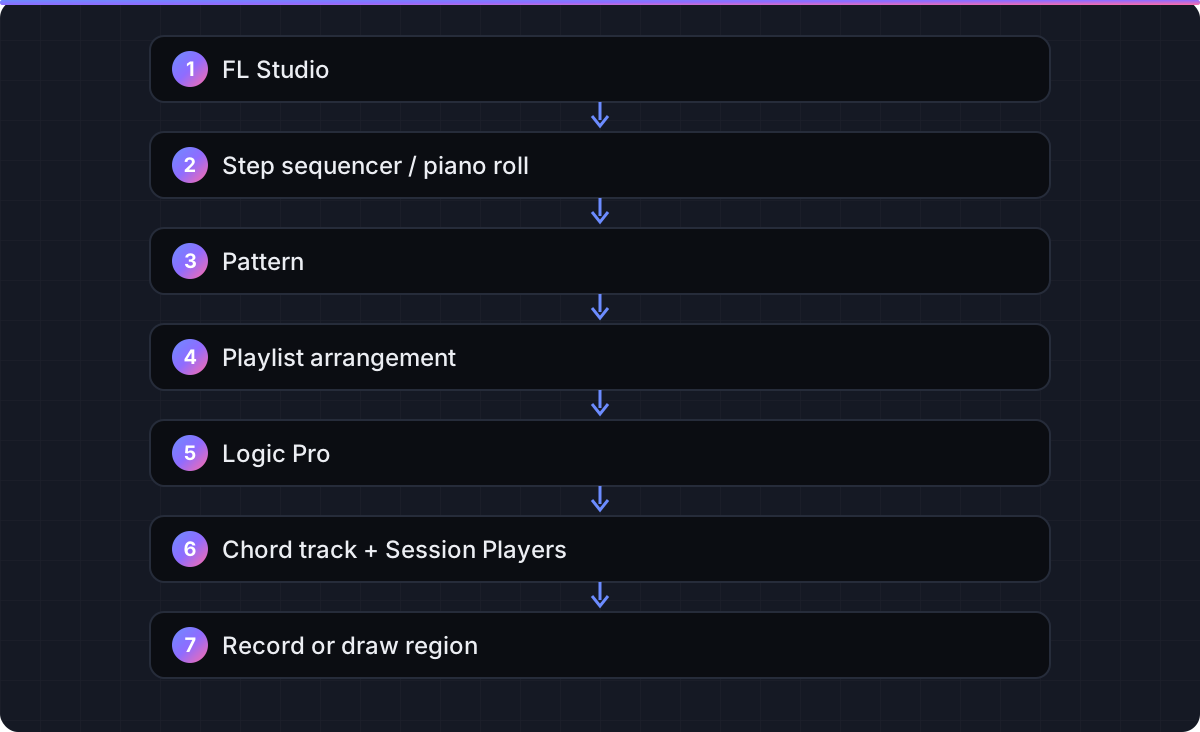
FL Studio's piano roll is the main reason producers choose it: quick note painting, built-in chord and arpeggiator tools, ghost notes from other patterns, and tight integration with the step sequencer. Beats are built as patterns and laid out on the Playlist, which suits loop-based hip hop, trap and EDM. Logic Pro's piano roll is solid and its Chord track, Chord ID and MIDI transform functions cover most needs, but its model is track-based: you record or draw regions on a timeline. Neither is wrong; they reward different habits.
Recording, comping and vocals
Logic Pro treats audio recording as a core activity: punch recording, take folders with Quick Swipe Comping, Flex Time and Flex Pitch on every audio region, and the new ML Pitch Correction in version 12. FL Studio records audio from Producer edition up and edits it with Edison, with Newtone pitch editing only in Signature Bundle and above. For vocal-heavy work, Logic Pro is more complete out of the box. See Flex Pitch.
Bundled content and instruments
Logic Pro's library and instruments, including Alchemy, Sampler and Session Players, come in the box. FL Studio's instrument count rises with edition, from 23 in Fruity to 39 in All Plugins, with synths such as Sytrus and Harmor that have devoted followings. If you already own third-party plug-ins, FL Studio's VST3 and CLAP support on both platforms is broad; Logic Pro uses Audio Units only.
Mixing, mastering and delivery
Logic Pro includes Mastering Assistant, ChromaGlow, Dolby Atmos with ADM export, Stem Splitter and detailed stem export. FL Studio's mixer is flexible and its effects are good, but Atmos and assisted mastering are not native.
Verdict: pick by what you do
Beat maker or loop-based producer: FL Studio
The piano roll and pattern workflow are faster for this style, you can start at US$99 or US$179, and updates stay free. Buy Producer at minimum if you ever record audio.
Songwriter, band or vocal producer on a Mac: Logic Pro
Recording, comping, Flex Pitch, Session Players and the mastering tools cover the whole process for one price.
Windows user: FL Studio
Logic Pro has no Windows version and no supported workaround. FL Studio runs natively on Windows 10 and 11.
Undecided: try both
FL Studio's trial never expires but cannot reopen saved projects, so you can test everything in one sitting. Logic Pro's trial is 30 days of Apple Creator Studio for new subscribers (how it works).
FAQ
How much does FL Studio cost compared to Logic Pro?
Image-Line's shop lists Fruity at US$99, Producer at US$179, Signature Bundle at US$269 and All Plugins at US$449, with lower sale figures shown alongside when we checked. Logic Pro is US$199.99 one-time.
Does FL Studio have lifetime free updates?
Yes. Image-Line states that every edition includes lifetime free updates, with pro-rated upgrades between editions. Logic Pro updates have also been free to date, but Apple makes no lifetime promise.
Does FL Studio run on Mac?
Yes. Image-Line lists macOS 10.15.7 or later on Intel or Apple silicon, running natively without Rosetta. It also runs on Windows 10 and 11.
Can FL Studio Fruity Edition record audio?
No. Image-Line's edition comparison shows audio recording from Producer edition upward. Logic Pro records audio at every level.
Which has the better piano roll?
FL Studio's piano roll is widely regarded as the fastest for drawing and editing MIDI. Logic Pro's is capable and adds a Chord track and Session Players for arranging.
Can I open an FL Studio project in Logic Pro?
Not directly. Export audio stems and MIDI files from FL Studio and import them into Logic Pro, then rebuild instruments and effects.
Does FL Studio's free trial expire?
Image-Line's download page states the trial has no time limit and includes all features, but it cannot reopen saved projects until you buy an edition.
Is there an iPad version of FL Studio?
FL Studio Mobile is a separate, simpler app. Logic Pro for iPad is a full version of the desktop DAW.
Related guides
Part of Compare — see every guide in this hub.
 Compare
Logic Pro vs GarageBand: is the upgrade worth it?
GarageBand is free and shares Logic Pro's engine; Logic Pro adds the editing, mixing and mastering tools you need to finish records. Here is where the line falls.
7 min read Compare
Logic Pro vs Ableton Live 12
Logic Pro wins on price and bundled content; Ableton Live wins on Session View, live performance and Windows support. Here is how to choose.
6 min read Guide
Logic Pro free trial: how to get 30 days, and what to do before it ends
Start the 30-day Creator Studio trial, understand what happens on day 30, and cancel without losing your projects.
6 min read
Sources checked
- Image-Line shop: FL Studio editions (Fruity US$99; Producer US$179 shown with US$139; Signature Bundle US$269 shown with US$199; All Plugins US$449 shown with US$224; lifetime free updates; macOS and Windows)
- Image-Line: Compare FL Studio editions (audio recording from Producer; Newtone in Signature; 23 to 39 instruments; lifetime free updates)
- Image-Line: Download and system requirements (Windows 10/11; macOS 10.15.7+, Apple silicon native; trial terms)
- Image-Line: Windows vs macOS FL Studio versions (plug-in formats, Windows-only features)
- Apple: Logic Pro (US$199.99, Creator Studio US$12.99/month or US$129/year)
- Apple Support: Logic Pro 12 technical specifications (macOS 15.6, Apple silicon)
- Sound On Sound: Logic Pro 12 review (Pitch Correction, Session Players, Stem Splitter, Dolby Atmos ADM)
Last checked 3 November 2026 by the Logic Pro Files Team.